
Winch
getwinch.app
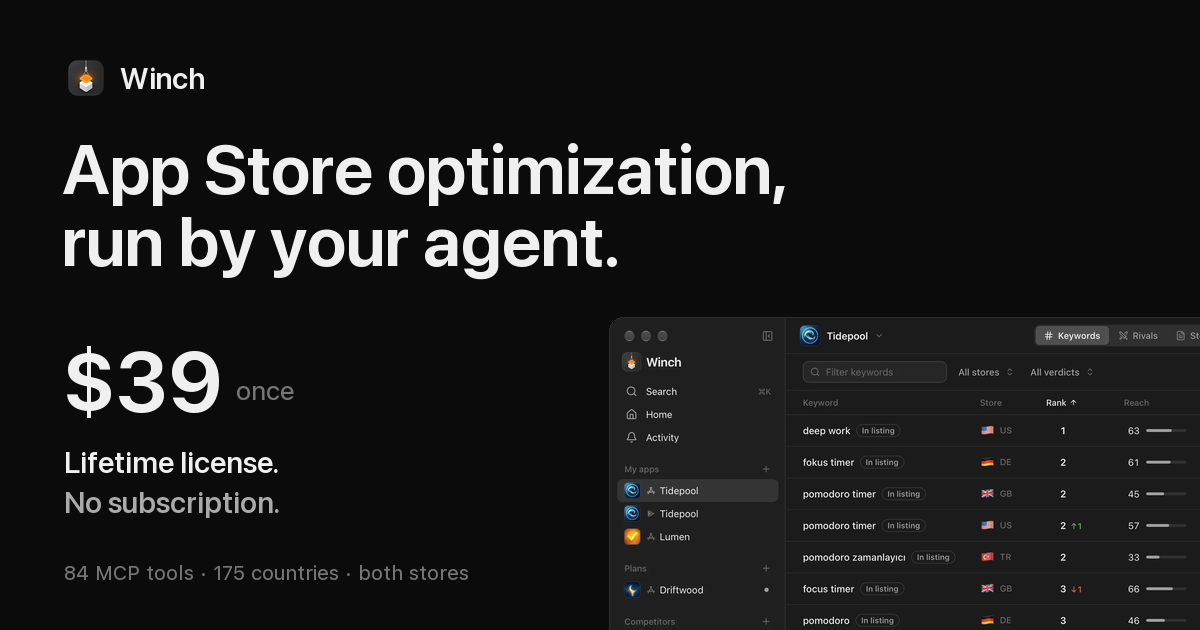
Mac app for App Store and Google Play optimization run by your own AI agent: tracks keywords in 175 countries, rewrites listings and draws store art.
- Pricing
- Paid
- Published
- Nov 1, 2026
Next steps
- Wavefunction
Both tools are listed under AI Agent, mcp, and macos.
- Koala
Both tools are listed under AI Agent and macos.
- Blobby
Both tools are listed under AI Agent, claude-code, and macos.
- Strix
- Pi
- Daily Stock Analysis (DSA)
What it does
Winch is a macOS app (macOS 13+, Apple Silicon and Intel) for app store optimization that you drive by asking its agent in plain words. It tracks your keywords in 175 countries on the App Store and Google Play, shows ranks, reach, difficulty and rivals, rewrites your listing in every language, draws store art and icons, and reads reviews; nothing reaches the store until you confirm. It has no model of its own and sells no AI credits — it runs on the AI you already pay for: Claude Code with a Claude Pro/Max plan, Codex with a ChatGPT plan, OpenCode, a local Ollama model or an OpenRouter key. The agent and all 84 MCP tools are included. Public store data needs no App Store Connect or Play Console account; connecting them adds your own listings, reviews with replies and store numbers. Pricing: a one-time license at $69 for the first 100 licenses, then $89, with a free one-day trial and no card needed.
Use cases
- Track App Store and Google Play keyword ranks across countries
- Localize an app listing into many languages with an AI agent
- Monitor competitor listing changes
Frequently asked questions
- Which AI does Winch need?
- One you already pay for: Claude Code, Codex, OpenCode, a local Ollama model or an OpenRouter key.
- How much does it cost?
- A one-time license: $69 for the first 100 licenses, then $89; one-day free trial.
- Do I need App Store Connect?
- No for public data; connecting it adds your own listings, review replies and store numbers.