
Recto
recto.design
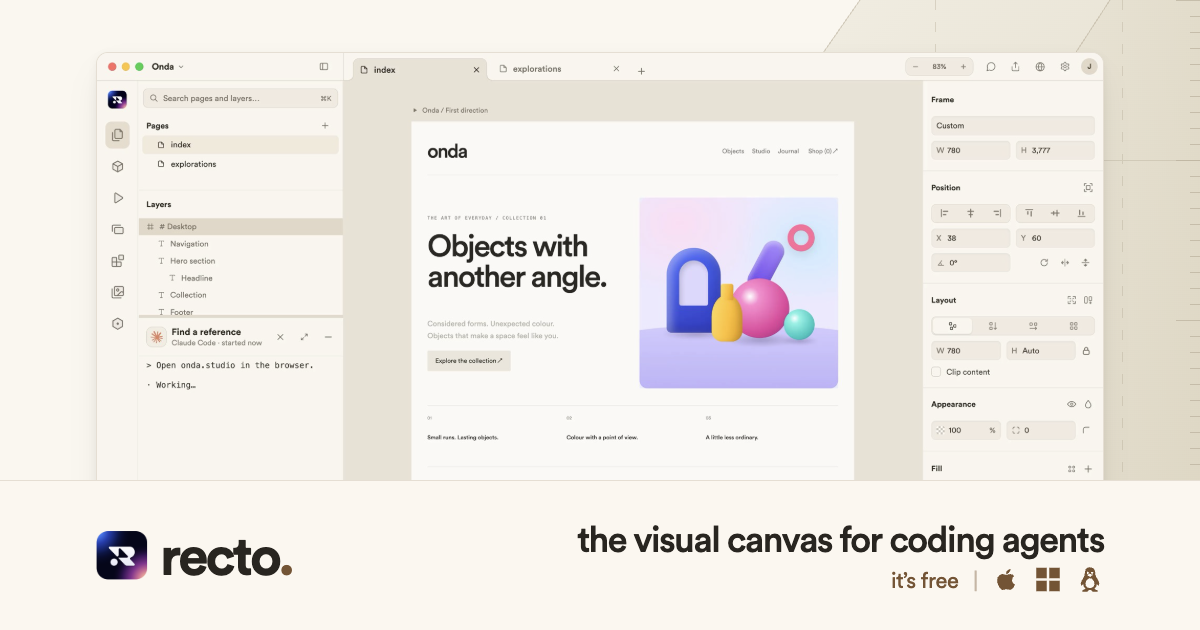
Free desktop visual canvas where coding agents like Claude Code, Codex, Cursor and OpenCode build UI, SVG, motion and 3D while you edit directly.
- Pricing
- Free
- Published
- Oct 31, 2026
Next steps
- CleanCode
Both tools are listed under AI Code Assistant, codex, and claude-code.
- Hallmark
Both tools are listed under AI Code Assistant, codex, and claude-code.
- AI Design Skills
Both tools are listed under AI Design Generator, AI Code Assistant, codex, and claude-code.
- CodeGraph
- Agent Skills (Addy Osmani)
- Pi
What it does
Recto is a free desktop app that gives coding agents a visual workspace. It runs locally and automatically detects coding agents installed on your computer — Claude Code, Codex, Cursor, OpenCode and others — and lets you use their CLIs directly inside Recto. As the agent builds UI, SVG, motion or 3D, you see every change on a canvas, can select and move elements yourself or reprompt the agent, without jumping between a terminal, browser preview and screenshots. Several agents can work on the same design at once, for example trying different hero directions in parallel. Recto lists downloads for Mac, Windows and Linux (Mac requires Apple silicon M1 or newer), and its site shows a free plan alongside a changelog and roadmap.
Use cases
- Design a landing page with Claude Code while adjusting layout by hand
- Compare several agents' takes on the same hero section
- Build SVG, motion or 3D scenes with a coding agent visually
Frequently asked questions
- Is Recto free?
- The site lists a free plan and a free desktop download.
- Which coding agents work with Recto?
- It auto-detects installed agents such as Claude Code, Codex, Cursor and OpenCode.
- Which platforms are supported?
- Mac (Apple silicon M1 or newer), Windows and Linux.