
Concat
concat.standalones.org
Free, open-source, local-first CapCut alternative with offline AI auto-captions, text-to-speech, voice cloning and background removal, scriptable via MCP.
- GitHub stars
- 19,798
- License
- AGPL-3.0
- Language
- Rust
- Pricing
- Open source
- Published
- Nov 2, 2026
Next steps
- AutoClip
Both tools are listed under AI Short Video Generator, AI Video Editor, and mcp.
- SupoClip
Both tools are listed under AI Short Video Generator and AI Video Editor.
- ShortMind
Both tools are listed under AI Short Video Generator and AI Video Editor.
- MoneyPrinterTurbo
- Brainrot Shorts
- video-use
What it does
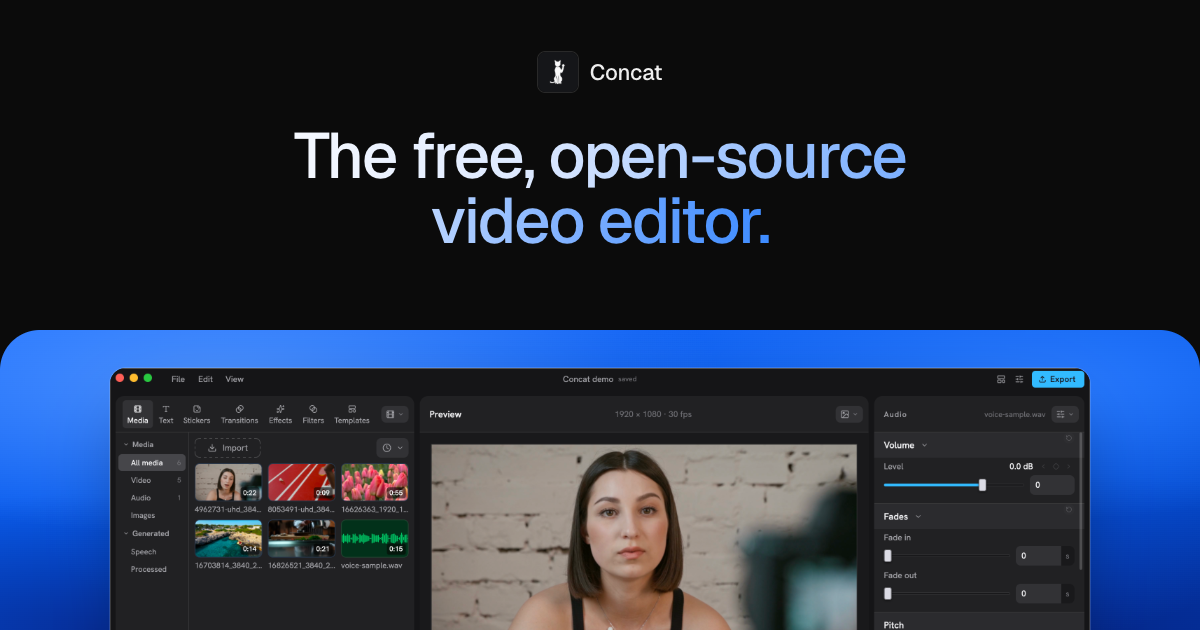
Concat is a free, open-source video editor positioned as a CapCut replacement for Windows, macOS, Linux and Android (iOS/iPadOS by sideloading). It covers the jobs people open CapCut for — auto-captions with a local Whisper model, text-to-speech and voice cloning from a few seconds of recording, background removal for people and objects, keyframe animation with a curve editor, about 100 GPU-rendered effects, filters and transitions, titles, multi-track timelines with picture-in-picture and blend modes, and one-switch voice cleanup. Everything runs locally on a native Rust engine with a GPU compositor and hardware decoding; the AI models download once from Settings and then work offline, so footage never leaves your disk. Export supports H.264, HEVC and AV1 up to 4K 60 fps with 10-bit colour. For automation it ships a built-in MCP server (concat --mcp) so Claude and other agents can edit video, plus a JSON-RPC API. No watermark, account or subscription; AGPL-3.0. The project is in beta (0.2.x) with about 13.5k GitHub stars.
Use cases
- Edit TikTok, Reels or Shorts with auto-captions offline
- Replace CapCut without watermarks or an account
- Let Claude cut a video through the built-in MCP server
Frequently asked questions
- Is Concat really free?
- Yes. It is open source under AGPL-3.0 with no watermark, account, subscription or paywall.
- Do the AI features need internet?
- Only to download the models once from Settings; captions, voices and cutout then run offline.
- Which platforms are supported?
- Windows, macOS, Linux and Android, plus iOS/iPadOS by sideloading.